

How Remote Access Fits Into Excel Training
Running Excel training courses across London means we think about device security differently to most companies. Every week, dozens of learners from different places sit down at our machines across the country and spend the day working through courses before heading back to their offices. We have a constant cycle of rotating users.
This is exactly why we pay so much attention to device security and need remote access.
Plenty of organisations tightened up their device security when remote working forced everyone to work from home. But when it came time to return to the office, a lot of that thinking was paused.
The deeper issue is that so many organisations aren’t really built to manage large numbers of devices at scale. A small office with ten desktops can get away with someone physically going around and sorting things – running updates, checking software, resetting machines.
But if you have multiple sites or a lot of devices: this simply doesn’t work.
This is why remote access and device management software is so important. Organisations that have these tools in place tend to be those that were forced to earliest. Just like training providers, school and universities have a wealth of devices across multiple buildings, and need to take care of them all with at a moments notice.
What Remote Access Has to Do With It
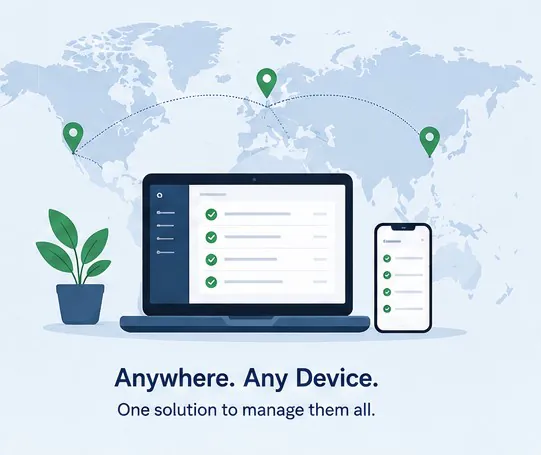
Remote access software is how we manage our Excel training machines. Rather than physically touching every PC between sessions, we can push updates, wipe user data, update and install software, and check the state of every machine from a single place. It’s what makes running Excel courses across different cities manageable.
Without it, keeping machines consistent across three locations would mean either sending someone physically to each site, or accepting that things will drift. Different Excel versions, uncleaned sessions, missed updates. Neither works when you have learners sitting down expecting a consistent, working environment.
The same logic applies to any organisation managing a lot of devices across more than one location. A retailer with thirty branches. A law firm across four offices. A university with computer labs in a dozen buildings. The device count goes up; the IT team doesn’t. Remote access is what bridges that gap.
What’s Actually Changed in 2026
Device security isn’t static. A few things have shifted recently that are worth understanding even if you feel like you’ve got the basics covered.
AI tools have introduced a new category of problem. Employees are now regularly using tools like Copilot and ChatGPT at work, often on devices or networks that IT hasn’t specifically accounted for. On a shared machine, anything typed into a browser-based AI tool can potentially persist for the next user if the session hasn’t been properly cleared. For us, when we are teaching Copilot with Excel, it’s important that this context is wiped every time so each user gets a fresh experience.
Phishing has also gotten substantially harder to spot. AI-generated phishing emails in 2025 and 2026 reached a point where even reasonably alert people were getting caught. The emails are better written, more targeted, and harder to distinguish from legitimate messages. This makes it more important than ever that devices are managed tightly.
The BYOD (bring your own device) picture is also messier than it was. Many employees now have a work desktop, a personal laptop, and a phone – sometimes all in use at the same time. Managing what’s on the corporate device is one thing; but managing what those devices share a network with is another question that not many organisations have fully worked through.
Three Tools Built For This Problem
All three of these come from the education side of device management. Schools and universities have been dealing with the rotating-users & multi-site problem longer than most industries, and the tools built for it are well ahead of what most IT teams reach for.
#1 Swif.ai
Swif.ai is the standout option. It was built for school districts and universities, running multiple OS fleet environments that have been managing the rotating-users on shared hardware problem longer than most industries. Because of that, the features are well-dedined and built around the problem with SSO for Azure and Google Workspace.
You can push updates to Windows, Mac and Linux, control what software is available, wipe machines, and monitor every device from a single dashboard without being physically present. They also have EU data residence available for higher GDPR requirements.
It handles app allow and block lists so you control exactly what’s accessible on a machine, flags when someone tries to install something outside the approved set, and includes a kiosk mode that locks devices down to whatever’s relevant for the session.
#2 Jamf School
Jamf School is a common choice for organisations running Apple hardware. Widely used by school districts across the UK, US and Australia, it handles automated enrolment, remote app deployment and patching without anyone needing to be near the devices.
You can lock screens, restrict what’s accessible during a session, and reset everything cleanly when it ends.
#3 Scalefusion
Scalefusion supports Android, Windows, macOS, iOS and Chromebooks from a single dashboard – it’s the most practical option for organisations running a mixed device environment. Its shared device mode lets multiple people use the same machine with separate profiles: when someone logs out, nothing carries over. No saved files, no browser history, no credentials.
Acuity Training’s Approach
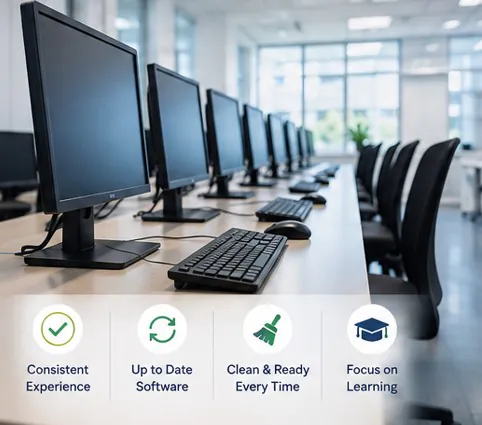
We use remote access software across all of our training room machines in London. Updates get pushed remotely, software installations are restricted. Each machine gets wiped between sessions. We don’t need someone at each site to do it – we can see and manage every machine from one place.
For Excel training, this matters a lot. Learners all need to be working in the same version of Excel, with the same settings, ribbon layout and formulas. Things like add-ins and customisations need to be wiped every time.
It’s not complicated, but it does require having the right tools in place and actually using them. That’s the part a lot of organisations haven’t got to yet. Not because they don’t care, but because the device management problem tends to become urgent once it’s already gone wrong.
The tools in this space have gotten much better, especially on the education side. If you’re managing a lot of devices across more than one location, the question is less about whether you need remote access and device management, and more about which tool fits you best.
- Facebook: https://www.facebook.com/profile.php?id=100066814899655
- X (Twitter): https://twitter.com/AcuityTraining
- LinkedIn: https://www.linkedin.com/company/acuity-training/